Multi-Property Account Patterns
Operational patterns for customers with many properties, including HOAs, snowbirds, short-term rentals, and builder warranty accounts.
Multi-Property Account Patterns
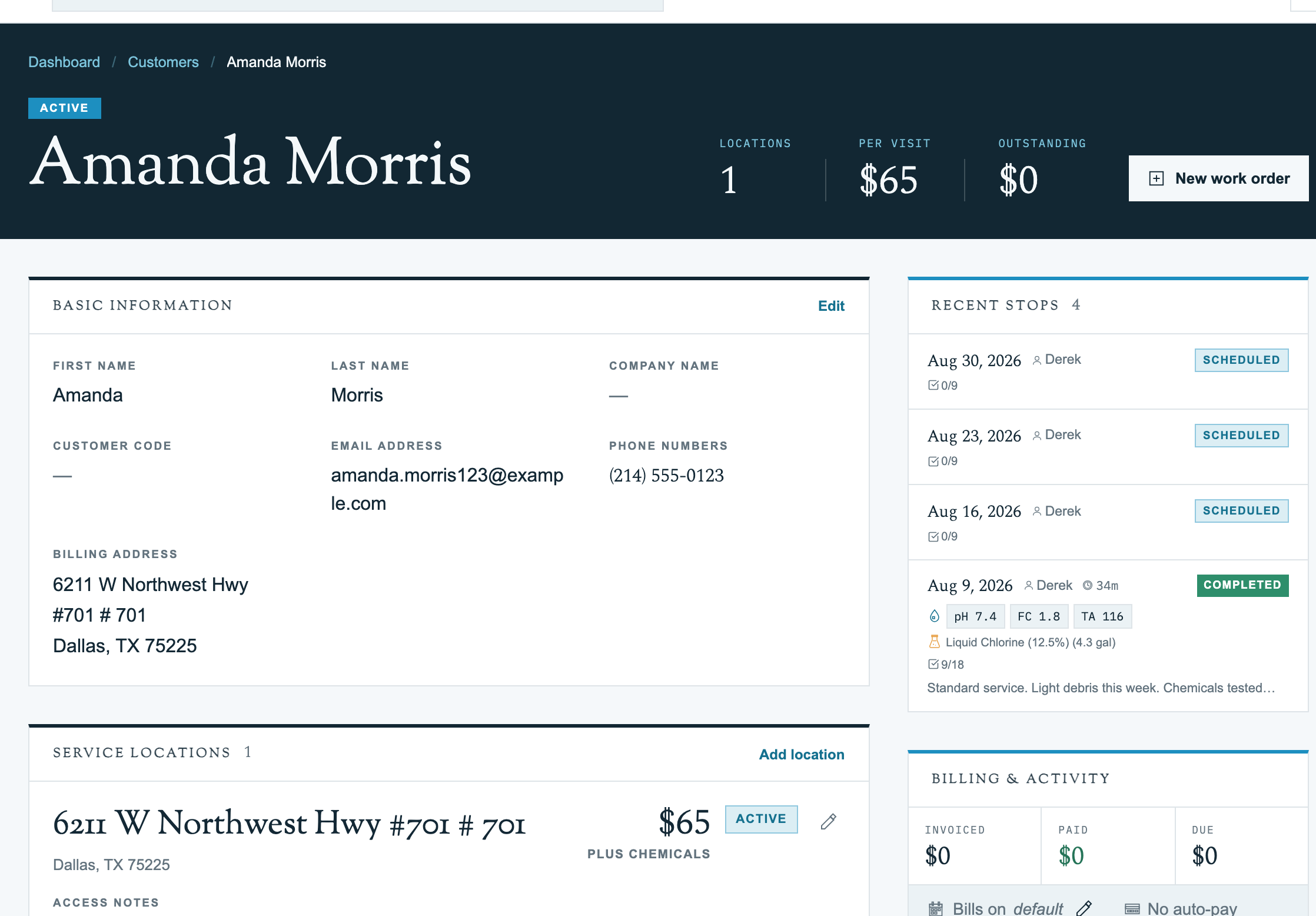
Pool Runs is built around the assumption that some customers will have many properties. Each property keeps its own service history, route assignment, equipment list, and chemical log, while billing rolls up to the parent customer.
That one-customer-many-properties model pays off on the profile: the Recent Stops and Billing & Activity cards aggregate across all of a customer's properties. You get a single view of every recent visit and every invoice for the account without opening each property one at a time.
The patterns below cover the operational shapes you'll see most often. For the mechanics of adding a single property, see Properties.
Pattern: Commercial / HOA Account
Goal: one bill, multiple service stops, predictable pricing.
- Create the customer with the property management company's billing address and email.
- Add each pool as a separate property:
- Use Location Code for the internal pool ID ("Pool A", "Clubhouse Spa", "Building 4").
- Set rates per stop so the bill scales with visit count.
- Put the gate code in its own Gate Code field (separate from Access Notes), and capture after-hours contact info in Access Notes.
- Assign each property to whichever route the geography supports.
- At month end, generate a single invoice that rolls up line items across every property.
Tip: For HOAs that require a standard purchase order, paste the PO number into the customer-level Notes field. It shows up on every invoice for the account.
Pattern: Snowbird / Seasonal Account
Goal: keep one customer record alive year-round but only service one address at a time.
- Add both addresses as separate properties on the same customer.
- Use Location Code to label them: "Primary - Dallas", "Winter - Phoenix".
- Use route assignments, not property deletion, to control which address is active. The profile's Route Assignments card is where you manage per-property scheduling; it shows each property's frequency and day of week. When the customer flies south, take the Dallas property off its route and add the Phoenix one.
- Service history stays put on both properties year-round.
Pattern: Short-Term Rental Operator
Goal: reliable service across many addresses with strong tech-facing notes.
- Create one customer for the operator (host or management LLC).
- Add each rental as a property. Access Notes is critical: capture lockbox codes, smart-lock instructions, and no-go time windows during guest changeovers.
- Use the Dog Names field aggressively. Even occasional guest pets should be flagged.
- Set rates per stop with chemicals included (rentals usually want a single, predictable per-visit charge).
Pattern: Builder Warranty Bulk Account
Goal: dozens of addresses under one billing entity (or one customer-per-house if the warranty bills go to homeowners after year one).
- Use the CSV import tool to load the builder's address list.
- Apply a consistent Location Code scheme (like "Phase 2 Lot 14") so it scales.
- Use a single rate type across all properties for predictability.
Billing Rollup
Invoices roll up per customer by default. A multi-property customer gets a single PDF and email per billing period with line items broken out by property, so the HOA accountant can see what each pool cost. See Invoice Generator for the batch flow.
Heads up: If a property manager wants a separate invoice per location, one clean way to model that is to give each property its own customer record.
Related Articles
- Customer Profiles: Recent Stops, Billing & Activity, and Route Assignments cards
- Properties: adding and editing a single property
- Bodies of Water: pools, spas, and equipment on a property
- Importing Customers: bulk CSV import
- Invoice Generator: batch billing