Work Orders Overview
The work order lifecycle in Pool Runs, from draft to invoiced, and how work orders relate to route stops.
Work Orders Overview
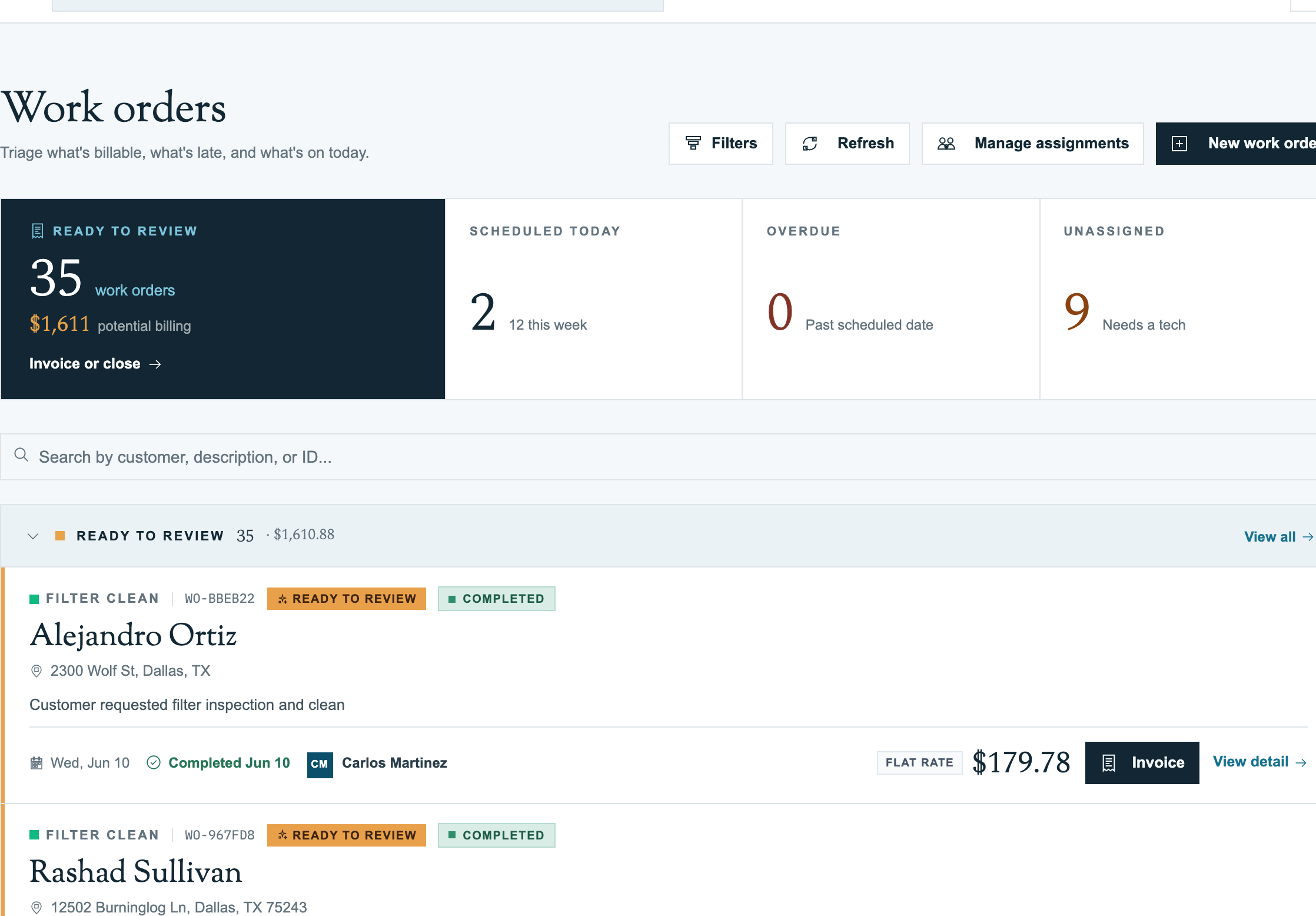
Every repair, filter clean, or one-time treatment in Pool Runs is a work order. The office creates and schedules it, a technician runs it in the field, and the office bills it. This page covers the statuses you will see along the way.
The status lifecycle
A work order carries one status at a time. You set most of these yourself; the last two are set by the system when you bill or close the job.
| Status | Meaning | Typical next step |
|---|---|---|
| Draft | Being written up, not committed yet | Schedule it, or send for review |
| Requested | Came in from a customer request | Approve and schedule, or ask for info |
| Pending review | Waiting on an office decision | Approve and schedule |
| Pending quote | Needs an approved quote before work starts | Send the quote |
| Needs info | Missing details from the customer or tech | Follow up, then schedule |
| Scheduled | On a date, on a tech's route | Tech runs the job |
| Waiting for Parts | Approved but on hold for parts | Reschedule when parts arrive |
| Completed | Work done, not yet billed | Generate an invoice or close it |
| Invoiced | A linked invoice exists | Send the invoice |
| Closed | Finished without billing (warranty, no-charge) | Nothing, it is terminal |
| Cancelled | Abandoned before completion | Reopen as draft if needed |
Note: You cannot pick Invoiced or Closed on the form. Invoiced is set when you generate or link an invoice. Closed comes from the Close · No Invoice Needed action on a completed work order.
Work order status vs stop status
The work order and its route stop track different things:
- The work order status answers "where is this job in the office pipeline?" It stays Scheduled while the tech works.
- The stop status answers "what is happening in the field right now?" It moves from scheduled to In Progress to completed as the tech taps Start Service and Complete Service.
When the tech completes the stop, the work order moves to Completed and lands in the office's Ready to review bucket for billing. See Running a Work Order (Mobile).
Overdue is a flag, not a status
A work order past its scheduled date shows a red overdue badge (for example "15d overdue") and appears in the Overdue bucket, but its status is still Scheduled. Reschedule it or get it done; the badge clears on its own.