Settings
Configure Pool Runs for your business — payment, tax, business information, skip reasons, integrations, and team permissions.
Settings
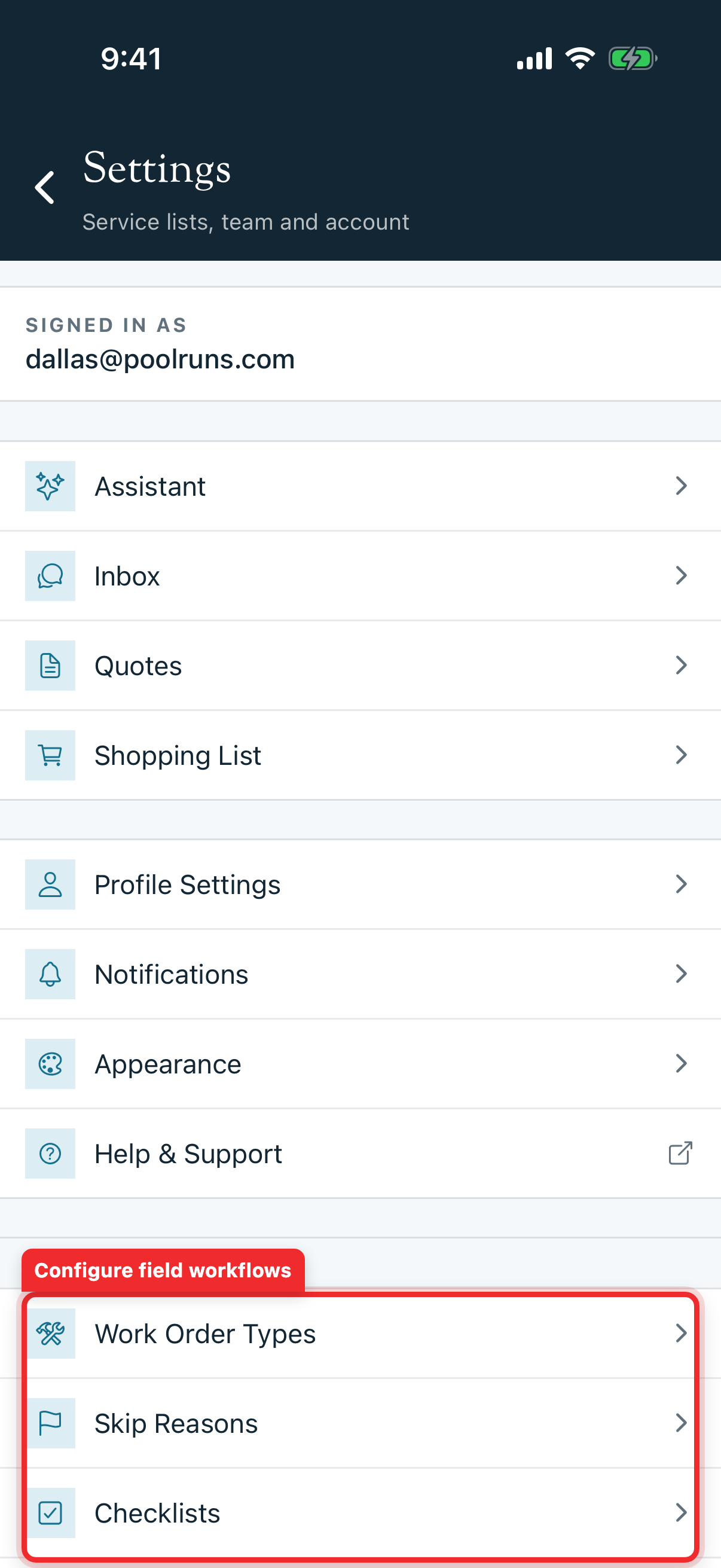
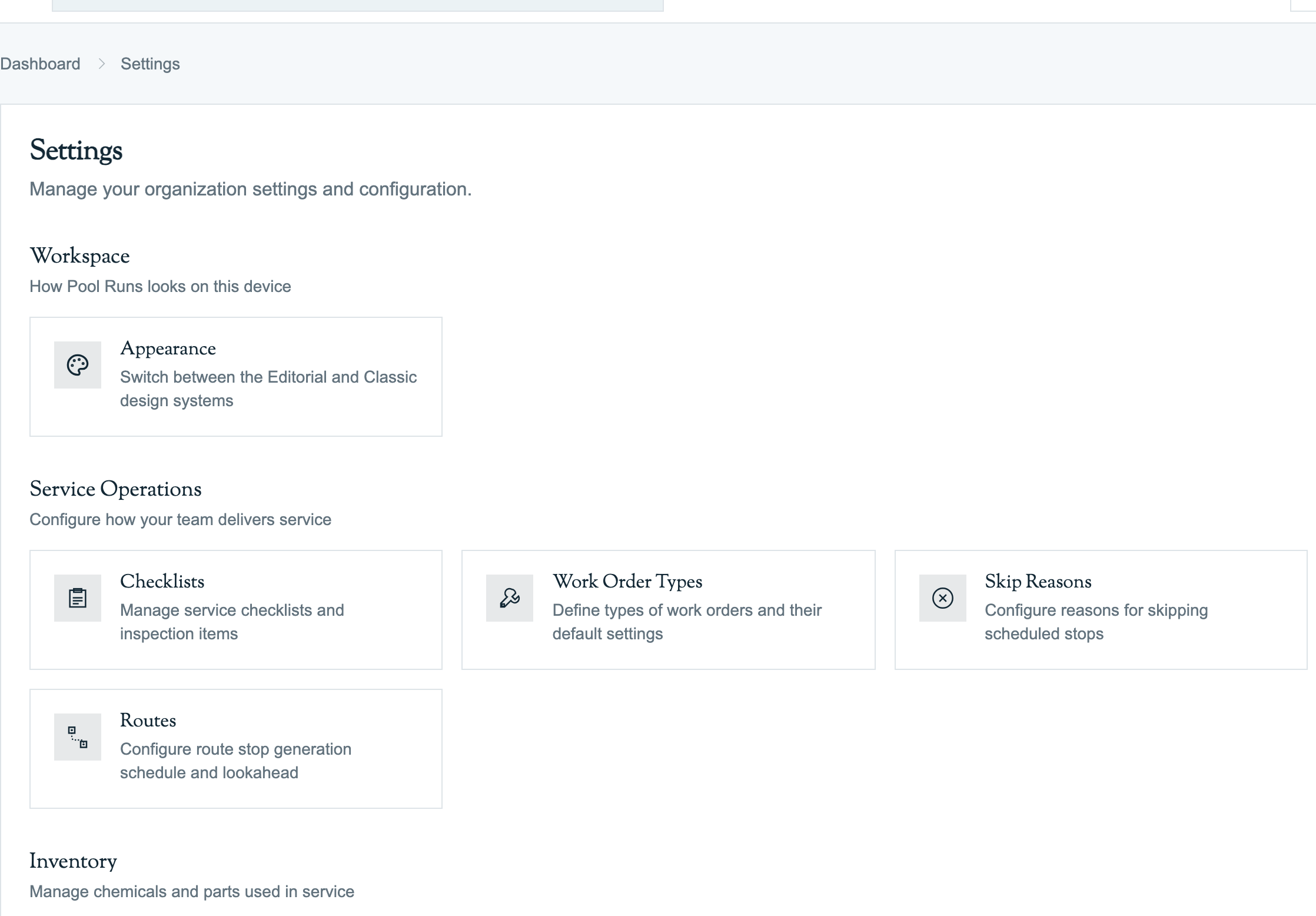
The Settings area is where you configure how Pool Runs behaves for your organization — from how invoices look and which tax zones apply, to which holidays your routes skip and how QuickBooks syncs. Most settings are admin-only and live under Settings in the main navigation.
Settings on Mobile
Open More to reach mobile settings and operational lists. Depending on role and enabled features, the mobile app includes profile, notifications, appearance, work-order types, skip reasons, checklists, chemicals, parts, fee types, and team members. It also exposes Quotes, Shopping List, sync status, failed-change recovery, local-data size, and Sync Now.
The mobile screens are permission-aware: users can view only the areas their role allows, while management actions such as editing checklists, skip reasons, or team members require the corresponding settings permission. Business-wide billing, tax, integration, and branding configuration remains in the web admin.
What This Section Covers
- Business Settings — Org name, logo, address, phone, time zone, and settings shown on customer-facing emails and invoices.
- Payment Settings — Stripe connection, payment method preferences, autopay defaults, and surcharge rules.
- Tax Zones — ZIP-based tax rate definitions and the resolution logic that picks a rate per invoice.
- Skip Reasons & Holidays — The pick-list of reasons techs use to skip a stop, and the company-wide holiday schedule routes auto-skip.
- User & Team Permissions — Roles (Admin, Office, Tech), permission sets, and per-user overrides.
- Inventory & Chemicals — Catalog of parts and chemicals with pricing, and default reading parameters.
- Notifications — Email and SMS templates for customer-facing and internal alerts.
- Integrations — QuickBooks Online, Stripe, Google Routes, and other third-party connections.
Currently-Linked Setting Pages
These pages are referenced from the operational documentation and have been stubbed in advance:
- Payment Settings — Referenced from QuickBooks Overview.
- Tax Zones & Tax Management — Tax modes, ZIP-based resolution, line-item taxability, and customer exemption.
- Business Settings — Referenced from invoice and quote setup guides.
- Skip Reasons — Referenced from Skip Reasons & Holidays.
Related Sections
- Billing — Invoicing, taxes, and QuickBooks sync that depend on settings.
- Scheduling & Routes — Route generation behavior driven by settings.
- Troubleshooting — When something is misbehaving, check settings first.
Pool Runs + QuickBooks
How billing works end-to-end when QuickBooks Online is your accounting system. Invoices, payments, refunds, and Stripe payouts all sync automatically — Pool Runs runs the operation, QBO keeps the books.
Business Settings
Configure your organization's name, logo, address, time zone, and customer-facing branding in Pool Runs.