Handling Payment Issues
How Pool Runs handles declined cards, ACH bounces, autopay failures, and refunds — permanent vs. temporary failures, the retry schedule, and the refund flow.
Handling Payment Issues
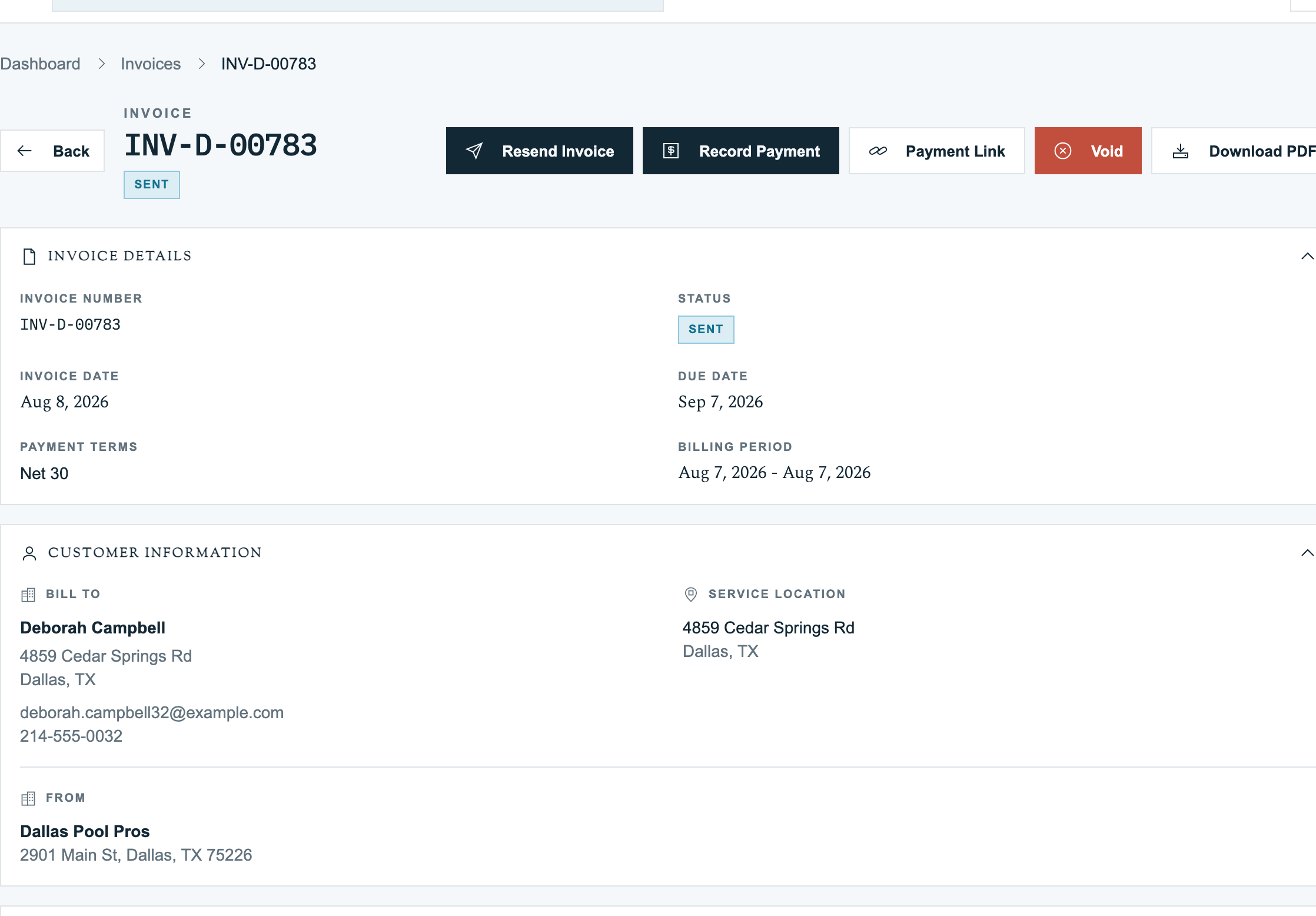
Two things go wrong with online payments in pool service: payments fail (cards decline, ACH bounces) and payments need to be reversed (refunds). Pool Runs handles both — automating the easy parts and surfacing what needs human attention. This page covers failure types, retry logic, customer notifications, and the full refund flow.
Failed Payments
A payment fails for one of two reasons: the card declined (temporary or permanent) or the ACH bounced (not enough money, account closed, customer revoked). Pool Runs distinguishes between failures that might succeed on retry (temporary) and those that won't (permanent), and adjusts behavior accordingly.
Permanent vs. Temporary Failures (Cards)
Permanent Failures — Will Never Succeed, Don't Retry. These mean the card itself can't be charged again. The customer needs to update their card on file:
- Expired card — past expiration date
- Card not supported — card type not accepted
- Invalid card — wrong number, wrong CVV, wrong expiration
- Stolen / lost card — card was reported stolen or lost
- Fraudulent — bank flagged the charge as fraud
- Card declined / do not honor — generic permanent decline (often a bank-level block)
- Authorization revoked / stop payment — customer told their bank to stop your charges
- Restricted card — card has restrictions blocking this charge type
- Pickup card — bank wants the card seized
- Bank blocked your business — bank specifically refusing your charges
For autopay, when a permanent failure happens, the enrollment is marked failed, the customer is emailed, and no retries are attempted.
Temporary Failures — May Succeed on Retry. These are usually transient problems:
- Insufficient funds — card limit reached or account out of money
- Withdrawal limit exceeded — daily withdrawal limit hit
- Too many transactions in a short window — bank's velocity rule kicked in
- Stripe / network glitch — try-again-later type errors
- Bank temporarily unavailable — the card issuer cannot be reached
- Extra security check needed — bank wants to verify the cardholder (rare on autopay since the customer isn't there)
For autopay, temporary failures trigger the retry schedule.
Unknown Failures are treated as temporary by default — better to err on the side of retry for transient issues.
Autopay Retry Schedule
When an autopay charge fails with a temporary failure:
- Day 0: Initial charge fails
- Day 3: Retry attempt 1
- Day 6: Retry attempt 2
- Day 9: Retry attempt 3 (final)
- After Day 9: Enrollment is marked failed, customer is notified
The retry runs as part of the daily autopay job. Each retry is a fresh charge attempt against the saved card.
The retry settings are organization-wide, configurable in Settings → Payments → Auto-Pay Settings:
- Number of retries (default 3)
- Days between retries (default 3)
ACH Bounces
When an ACH debit fails, the bank returns it with a specific reason. The most common in pool service:
| Reason | What happened | Retry? | What to do |
|---|---|---|---|
| Not enough money (R01 / R09) | Customer's account didn't have enough funds | Yes, after 1–2 days | Email customer, retry |
| Account closed (R02) | The bank account is closed | No | Get new account from customer |
| Wrong account number (R03 / R04) | Account number was wrong | No | Re-enter |
| Authorization revoked (R07) | Customer told their bank to block | No | Don't retry |
| Stop payment (R08) | Customer told bank to block this charge | No | Same as R07 |
| Customer claims unauthorized (R10) | Like a chargeback for ACH | No | Investigate immediately |
| Corporate customer not authorized (R29) | Customer's bank requires whitelisting | No | Customer needs to whitelist your business |
Pool Runs uses the same retry path for ACH bounces as it does for card declines.
Customer Notification
When autopay fails permanently (max retries exhausted or permanent failure), Pool Runs sends an email to the customer.
Permanent Failure Email explains the card has expired, been canceled, or is no longer valid, and asks them to update their payment method.
Temporary Failure (Max Retries Exhausted) Email explains we attempted multiple times and were unsuccessful — likely insufficient funds or a temporary card issue.
Both emails include the specific failure reason so the customer has actionable info.
What Happens to the Invoice
When autopay fails on an invoice:
- During the initial autopay attempt, the invoice shows
partialand the autopay status showsprocessing. - On a temporary failure (will retry), invoice stays
partialorsentand autopay showsfailed. - On a permanent failure, invoice stays
partialorsentand autopay showsskipped(no more retries). - After max retries, invoice stays
partialorsentand autopay showsfailed. - When the customer pays manually (online or by check), invoice flips to
paidand autopay status clears.
The invoice itself doesn't go to a "failed" status — there's no such state.
Recovering from a Failure
1. Customer Updates Card and Re-Pays. Customer receives the failure email, clicks the payment link, re-enters payment method on the public payment page, optionally checks "Save for future autopay."
2. Customer Pays via Check. Customer mails a check, you record it manually via Record Payment (method: Check, reference: check #), invoice flips to paid. Autopay enrollment remains in failed state — they'll need to re-enroll.
3. Office Manually Updates Card on File. If the customer calls and gives you a new card over the phone: cancel the existing autopay enrollment, send the customer a payment link, customer pays online and re-enrolls. Pool Runs doesn't have a "key in card on the customer's behalf" flow — this is intentional for PCI compliance.
When a Manual Payment Entry Fails
If you tried to record a manual payment and got an error, it's typically a validation issue, not a Stripe issue: amount exceeds remaining balance, invoice is voided or refunded, invalid date format, or insufficient permissions. These show up as inline errors on the Record Payment modal and don't create a failed-payment row.
Refunds via Stripe
A refund sends money from your Stripe balance back to the customer's card or bank — fully or partially. Pool Runs supports refunds from the invoice detail page.
Before You Start
- The original payment must have been made via Stripe (manual cash/check refunds are tracked separately — see Invoice Adjustments)
- The payment must still be eligible for a refund through Stripe. ACH Direct Debit refunds must be requested within 180 days of the original payment; card refunds follow Stripe's supported eligibility rules. See Stripe's ACH refund rules and refund guide.
- Your role must have permission to process invoice payments
- Your Stripe account must be connected and enabled
Quick Steps (Full Refund)
- Open the invoice from the Invoices list
- Scroll to the Payments section
- Find the Stripe payment row
- Click Refund
- Confirm the full amount (default) or enter a partial amount
- Optionally add a Reason (free text — for your records, not the customer's)
- Click Process Refund
- Check the refund status in Pool Runs and Stripe. Arrival depends on the payment method and the customer's bank.
The invoice status flips to refunded if the entire balance is reversed.
What Happens Behind the Scenes
When you click Process Refund:
- Pool Runs tells Stripe to issue the refund.
- Stripe processes the request. Card refunds typically appear within 5–10 business days; ACH delivery takes several business days and varies by bank.
- Stripe notifies Pool Runs the refund went through.
- After Stripe confirms success, Pool Runs records a negative payment for the refund amount, recalculates net paid, and flips the invoice to
refundedif nothing's left. A pending refund is not yet recorded as a completed refund on the invoice. Pool Runs only refunds what's left to refund. If you've already refunded $50 of a $100 charge and try to refund another $50, Pool Runs records the new $50 (not $100 cumulative).
Full vs Partial Refunds
Full Refund. Refund amount = original charge amount. Invoice flips to refunded. Net paid = $0.
Partial Refund. Refund amount < original charge amount. Invoice stays in paid or moves to partial depending on the math. You can issue additional partial refunds while the payment remains eligible and has an unrefunded amount. The 180-day limit applies to ACH Direct Debit refunds.
How the Customer Sees It
Card Refunds. Typically appear on the customer's card statement within 5–10 business days. Check the refund status in Stripe Dashboard rather than promising an arrival date.
ACH Refunds. Money is pushed back via ACH credit. Allow several business days and check the refund status in Stripe Dashboard if it has not arrived.
Refund Emails. Stripe sends a refund email only when the original charge is linked to a customer with a saved email address and Email customers for refunds is enabled in Stripe. Check those settings and the actual delivery; issuing a refund in Pool Runs does not guarantee an email. See Stripe's refund notification requirements.
Refund Fee Handling
Stripe does not return the original processing fee when you issue a refund. Check the payment's actual fee breakdown and your account's pricing terms when calculating the cost of a refund. See Fees & Payouts.
Why You'd Refund (Common Scenarios)
| Scenario | Example | Refund or void? |
|---|---|---|
| Customer overpaid | Paid $300 for a $250 invoice | Refund $50 |
| Service complaint | Tech missed a visit | Partial refund (e.g., 1 week's pro-rated) |
| Repair didn't fix the issue | Heater still leaking | Full or partial refund |
| Wrong customer charged | Charged Mrs. Smith for Mrs. Jones's invoice | Full refund + correct invoice |
| Customer requested cancellation pre-service | Paid for service that hasn't started | Full refund + void the invoice |
| Pricing error on invoice | Invoice was $400 but should have been $300 | Review a $100 refund and an appropriate accounting correction; paid invoice line items are locked |
| Customer requests a refund before a formal dispute | Resolve a service complaint | Review the payment and any pending refund or dispute before issuing a refund |
Refund vs Void vs Credit
| Operation | When to use | Effect on invoice | Customer sees |
|---|---|---|---|
| Refund (Stripe) | Money was charged via Stripe and you want to give it back | Reduces net paid; may flip to refunded | Credit on statement in 5–10 days |
| Void invoice | Invoice was sent but never paid (no money to refund) | Status: void | They no longer owe |
| Apply credit | You owe the customer money but want them to use it on a future invoice | Reduces what they owe | Credit on next invoice |
For a Stripe payment that has not been disputed or already refunded, use the refund flow to return money. If a dispute is already open, handle it in Stripe Dashboard first. Do not issue another refund just to change the invoice's status.
Disputes / Chargebacks
Pool Runs does not have an in-app dispute UI today. Disputes are handled in Stripe Dashboard.
If a customer disputes a charge:
- Stripe emails you when the dispute is filed.
- Review the dispute and its response deadline in Stripe Dashboard.
- Gather evidence (signed quote, service photos, prior payment history) and submit it before that deadline, or accept the dispute in Stripe Dashboard.
- Keep the dispute outcome and balance transaction for reconciliation. If Pool Runs payment records do not reflect the outcome, contact support to reconcile the records.
Do not click Refund in Pool Runs to reconcile a lost dispute. Stripe has already removed the disputed funds; losing or accepting the dispute makes that reversal permanent. A refund is a separate request to return money and can cause a duplicate reimbursement. See Stripe's dispute response guide.
Dispute fees and whether any fees are returned depend on your account's pricing terms and the type of dispute. Check the actual dispute in Stripe Dashboard rather than assuming a fixed fee or that winning returns every fee.
FAQ
Failed Payments
Q: Why does Stripe sometimes say just "card declined" with no specific reason? A: The cardholder's bank sometimes doesn't share the specific reason with Stripe (privacy / security policy). The customer needs to call their bank.
Q: Can I retry a failed charge manually? A: Yes — from the customer profile, click Auto-Pay → Retry Now to manually trigger a charge.
Q: A customer disputed an autopay charge that I considered legitimate. What now? A: Review the dispute in Stripe Dashboard and respond by the deadline shown there. If you lose or accept it, the disputed funds have already been reversed. Do not issue another refund in Pool Runs; contact support if the invoice or payment records need reconciliation.
Q: Is there a way to skip autopay for a single invoice? A: Yes — on the invoice detail page, toggle Auto-Pay Scheduled: Off.
Q: What if a customer's autopay fails but they paid by check before the retry? A: Pool Runs only retries against unpaid invoices. If the manual payment came in first, the retry is skipped.
Refunds
Q: Can I refund a payment from before Stripe was connected? A: No — only Stripe-processed charges can be refunded via Pool Runs. For older manual payments, issue a refund check or apply credit.
Q: Can I refund more than the original charge? A: No. Refunds are capped at the original charge amount.
Q: Can I refund to a different card than the original? A: No. Stripe refunds always go back to the original payment method. If the customer's card was canceled, Stripe handles the routing.
Q: How long after the charge can I refund? A: ACH Direct Debit refunds must be requested within 180 days. For cards, check the payment's refund eligibility in Stripe; there is no universal 180-day limit across payment methods.
Q: Will the customer be told I refunded them? A: A Stripe refund email depends on the original charge being linked to a customer with a saved email and Email customers for refunds being enabled in Stripe. Check the refund and delivery status rather than assuming the customer was notified.
Q: Does refunding cancel autopay enrollment? A: No — refunding a single invoice doesn't affect the customer's autopay enrollment.
Q: Can I issue a refund directly from Stripe Dashboard? A: Yes. Stripe will notify Pool Runs and the negative payment record gets created automatically.
Troubleshooting
Failed Payments
| Symptom | Likely cause | Fix |
|---|---|---|
| Same customer fails autopay every month | Card expired, but enrollment still says "active" | Customer profile → Auto-Pay → check expiration; ask customer to re-enroll |
| Autopay marked failed but I want to retry one more time | Permanent failure auto-marks failed; you can manually retry | Customer profile → Auto-Pay → click Retry |
| Customer says "my card works everywhere else" | Bank's fraud system flagged your business | Customer calls bank to approve charges; retry next billing cycle |
| Multiple autopay failures in Stripe Dashboard but nothing in Pool Runs | Stripe's updates are not reaching Pool Runs | Check Stripe's event-delivery log or contact support |
| Autopay shows "succeeded" but invoice still shows unpaid | Notification delay | Wait 1–2 minutes |
Refunds
| Symptom | Likely cause | Fix |
|---|---|---|
| "This charge has already been refunded" | Already fully refunded | Check payment history |
| Customer says they didn't get the refund 10 days later | ACH refunds are slower; or customer's card was reissued | Check Stripe Dashboard → Refunds for status |
Refund created but invoice still shows paid | Notification from Stripe is delayed | Wait 1–2 minutes |
Related Documentation
- Payments Overview — How payments work end-to-end.
- Stripe Overview — Stripe setup and the customer portal.
- Accepting Online Payments — Cards and ACH details.
- Fees & Payouts — Per-transaction costs and payout timing.
- Recurring & Auto Invoicing — Autopay setup and lifecycle.
- Invoice Adjustments — Voids, credits, manual refunds.
- Collections — Recording manual payments and writing off uncollectible balances.