Accepting Online Payments
How card and ACH payments work in Pool Runs — supported brands, what the customer sees, the security check, saving cards or bank accounts for autopay, and when to push customers toward ACH instead of cards.
Accepting Online Payments
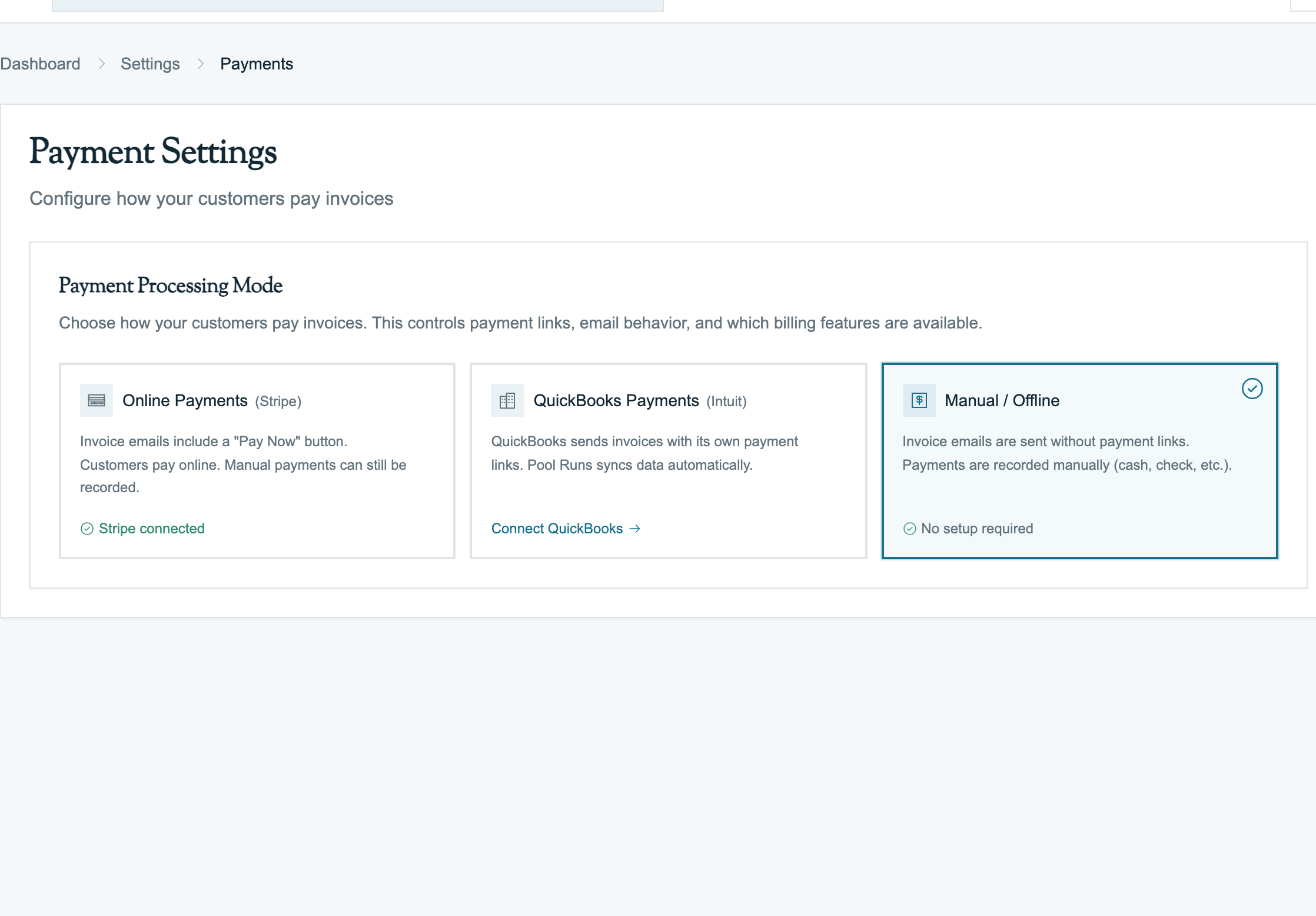
Pool Runs accepts two main online payment methods through Stripe: credit/debit cards and ACH (US bank transfer). Cards settle in about 2 business days; ACH takes 3–5 business days but has dramatically lower fees. This page covers both flows from the customer's perspective and how to use them effectively.
For the customer-facing payment page itself, see Stripe Overview: Customer Payment Portal.
Cards
Supported Cards
| Brand | Supported | Notes |
|---|---|---|
| Visa, Mastercard, Amex, Discover | Yes | Standard 2.9% + $0.30 (no Amex surcharge) |
| Diners Club, JCB, UnionPay | Yes | Standard rate |
| Apple Pay | Yes | Auto-shows on Safari/iOS |
| Google Pay | Yes | Auto-shows on Chrome/Android |
| Stripe Link | Yes | One-tap repeat checkout if the customer has Link |
Apple Pay and Google Pay only show up when the customer is on a compatible device. Same fees, same settlement.
What the Customer Sees
When a customer clicks Pay Now:
- They land on the payment page with the invoice details (line items, subtotal, tax, total).
- The card form is the default tab. (Bank account is the secondary tab.)
- Apple Pay / Google Pay / Link buttons render above the card form when their device supports them.
- Customer enters card number, expiration, CVV, and ZIP — or taps Apple Pay / Google Pay.
- Stripe processes the charge:
- If the bank requires an extra security check (3D Secure), a window pops up; customer authenticates via SMS, push notification, or biometric
- If accepted, charge succeeds; if declined, an error message displays inline
- On success, the customer sees a confirmation page; Pool Runs records the payment.
The customer never sees Pool Runs branding on the form — your business name appears on the page header and on their card statement.
The Extra Security Check (3D Secure)
Some cards require an extra security check during payment. Common triggers: high dollar amount ($500+), non-US-issued card, bank's own risk model flags the transaction, European card.
The customer sees a window from their bank asking them to confirm via banking app, SMS code, or biometric. Once authenticated, the charge completes.
For autopay, the extra security check sometimes can't run (the customer isn't there). When that happens, Pool Runs treats it as a failed charge and notifies the customer.
Statement Descriptor
On the customer's card statement, the charge appears as your statement descriptor — configured in Stripe Dashboard → Settings → Public details. By default, it's your business name; you can shorten it to fit the typical 22-character limit. Keep it short and recognizable to avoid disputes.
ACH (Bank Debit)
ACH (Automated Clearing House) is bank-to-bank transfer of US dollars — the same rails that move payroll and mortgage payments. The fee is dramatically lower than cards (0.8% capped at $5 vs. 2.9% + $0.30), but the money takes 3–5 business days to clear.
Cards vs. ACH
| Cards | ACH |
|---|---|
| 2.9% + $0.30 fee | 0.8% capped at $5 |
| Money clears in about 2 business days | Money clears in 3–5 business days |
| About 2–4% decline rate | About 1–2% bounce rate |
| Declines come back immediately | Bounces can come back days later |
| Cards expire and get replaced (constant maintenance) | Bank account stable for years |
| Apple Pay / Google Pay convenience | No mobile wallet equivalent |
For monthly recurring billing, ACH is the operator's friend. For one-off repairs, cards are better. ACH fees on a $200 monthly customer are $19.20/year vs. $73.20/year for cards — $54/year savings per autopay customer.
How the Customer Verifies Their Bank Account
Login Verification (Instant). The customer logs into their bank from the payment page. Works for 10,000+ US banks (Chase, BofA, Wells Fargo, Citi, US Bank, Capital One). Verification is instant.
Tiny Test Deposit Verification. For banks that don't support login verification, Stripe sends two small deposits ($0.01–$0.99 each) to the customer's bank account. The customer waits 1–2 business days, sees the deposits, and enters the amounts back on the payment page.
What the Customer Sees
- Customer clicks the US Bank Account tab next to Card on the payment page.
- They enter their email and full legal name.
- Click Save and authorize — by clicking, the customer is legally authorizing your business to debit their account.
- Verification flow (login or test deposits, see above).
- Once verified, Stripe initiates the ACH debit.
- Status goes to processing (not succeeded) — funds aren't moving instantly.
- 3–5 business days later, the ACH transfer completes.
Settlement Timing
| Day | What's happening |
|---|---|
| Day 0 (charge initiated) | Status: processing. Invoice: partial. Pool Runs treats this as not-yet-paid. Don't release service. |
| Days 1–3 (in transit) | Funds are moving through ACH network. |
| Days 4–5 (settlement) | Funds clear. Status: succeeded. Invoice: paid. |
| Days 5–60 (return window) | Possible bank-side bounce — though rare after Day 5. |
Critical: do not consider ACH "paid" until the status flips to succeeded. Pool Runs handles this for you: while the payment is in transit, the invoice stays partial (treated as not-yet-paid).
When ACH Bounces
When an ACH debit fails, the bank returns it with a specific code:
| Reason | What happened | Retry? | What to do |
|---|---|---|---|
| Not enough money (R01 / R09) | Customer's account didn't have enough funds | Yes, after 1–2 days | Email customer, ask them to fund the account |
| Account closed (R02) | The bank account is closed | No | Get a new account from the customer |
| Wrong account number (R03 / R04) | Account number was wrong | No | Re-enter |
| Authorization revoked (R07) | Customer told their bank to stop letting you debit | No | Don't retry. Reach out to the customer. |
| Stop payment (R08) | Customer told the bank to block this specific charge | No | Same as R07 |
| Customer claims unauthorized (R10) | Customer disputed the charge — like a chargeback for ACH | No | Investigate immediately; respond within window |
| Corporate customer not authorized (R29) | Commercial customer's bank requires whitelisting | No | Ask the customer's AP department to whitelist you |
Saving a Card or Bank Account for Autopay
Pool Runs supports saving a card or bank account during a one-time payment for future autopay use.
Customer-Side
On the payment page, a checkbox labeled "Save this card for future automatic payments" (or "Save this bank account") appears below the form. The checkbox is only visible if your business has autopay enabled (Settings → Payments → Auto-Pay Settings → Enabled).
If the customer checks it:
- Stripe stores the card or bank account securely.
- After the payment succeeds, Pool Runs creates an autopay enrollment for this customer.
- From now on, every new invoice for this customer is automatically charged on the due date.
Operator-Side
You see this in two places:
- Customer profile → Auto-Pay card shows "Active — Visa ending in 4242, expires 11/2027" (or "Bank ending in 1234")
- Invoice detail → an "Auto-pay scheduled" badge appears on invoices that will be charged automatically
You can pause, resume, or cancel autopay enrollment from the customer profile. See Recurring & Auto Invoicing for the autopay deep-dive.
Automatic Charges (Autopay)
Once a payment method is saved, Pool Runs charges it automatically without the customer present. The daily autopay run finds all invoices due that day with active enrollments and charges them.
Possible outcomes:
- Succeeded — payment recorded, invoice paid
- Extra security check needed (cards only) — can't run without the customer present, treated as failed; customer is notified
- Declined / bounced — failed, retry logic kicks in based on whether the failure is permanent or temporary
See Handling Payment Issues for what each decline reason means.
Industry Context
- Stripe processes 2.9% + $0.30 per US card transaction. On a $200 monthly invoice, that's $6.10 — about a 3.05% effective rate.
- The decline rate for residential pool service is typically 2–4% — slightly above the 1–2% e-commerce average because of card-on-file aging.
- Visa and Mastercard make up about 85% of pool service customer cards. Amex is about 10%, Discover and others fill the rest.
- Apple Pay adoption is rising fast — typically 15–25% of card payments come through Apple Pay or Google Pay if the customer's on mobile. These have lower decline rates.
- ACH adoption is lower (~10–20%) because customers are warier of giving bank info, but adoption is rising as the savings become more visible.
- Most residential customers default to autopay when offered — adoption rates of 60–85% are typical for businesses that ask at signup.
FAQ
Q: Can I take a card payment over the phone? A: Pool Runs doesn't have a "virtual terminal" built in. Send the customer the payment link via email or SMS, and have them pay online while you're on the phone. If you absolutely need to key the card yourself, do it in Stripe Dashboard → Payments → Create payment, then record the resulting payment manually in Pool Runs.
Q: What about chip-and-pin / in-person card readers? A: Not currently supported. Pool Runs is built for online and back-office payments. If you take in-person cards via Square or Clover, record those manually in Pool Runs as Credit Card with the last 4 digits as the reference.
Q: How long do I have to issue a refund on a card? A: Stripe allows refunds for up to 180 days after the original charge.
Q: Will Stripe email the customer a receipt? A: Yes, automatically — sent to the email on the invoice. The receipt is branded with your business name.
Q: Can a customer pay with a foreign (non-US) card? A: Yes. Stripe accepts international cards. Higher fee (3.9% + $0.30 with 1% international surcharge), higher decline rate, and the security check is much more common.
Q: ACH-only customers — can I require ACH instead of letting them choose cards? A: Not enforced at the platform level today. The workaround: educate the customer at signup about the ACH discount.
Q: My customer authorized ACH last month and now I want to pull again for this month's invoice. Do I need to re-authorize? A: No, if the customer enrolled in autopay. The original authorization covers recurring debits.
Troubleshooting
| Symptom | Likely cause | Fix |
|---|---|---|
| Customer says "card declined" but their card works elsewhere | Bank flagged as fraud — common with first-time pool service charge | Customer calls bank, says "approve charges from [your business name]". Then retry. |
| Stripe charge succeeds but Pool Runs shows invoice unpaid | Update delay between Stripe and Pool Runs | Wait 1–2 minutes; if it stays wrong, check Stripe's event-delivery log or contact support |
| Saved card "expired" but customer says it's still valid | Card was reissued (same number, new expiry) | Customer re-enters card on payment portal; old enrollment replaced |
| Apple Pay button not showing for customer | Customer not on Safari/iOS, or Apple Pay not configured on device | They use the regular card form instead |
| Security check window popped up but customer never received the SMS | The bank did not respond or the customer's phone has no signal | Customer retries; if persistent, they call their bank |
| Customer says ACH won't process their bank | Their bank isn't supported by login verification | Use the test-deposit fallback (slower but works for any US bank) |
| ACH bounce with reason R07 / R10 | Customer revoked authorization or disputed the charge | Disable autopay and contact the customer immediately |
Related Documentation
- Payments Overview — How payments work end-to-end.
- Stripe Overview — Stripe setup, account statuses, and the customer payment portal.
- Fees & Payouts — Per-transaction costs and bank deposit timing.
- Handling Payment Issues — Failed payments, declines, and refunds.
- Recurring & Auto Invoicing — Autopay setup using saved cards.
Payments Overview
How payments work in Pool Runs — when payments record themselves vs. when you record them by hand, the lifecycle from "Pay Now" click to bank deposit, and what's automatic vs. what your office handles.
Stripe Overview
How Stripe powers payments in Pool Runs — what Stripe handles, what Pool Runs handles, what you handle, and how the two systems stay in sync.