Checklists
Checklists
Per-body-of-water service checklists in Pool Runs — what techs do at each stop and how to customize the steps.
Checklists
Mobile walkthrough
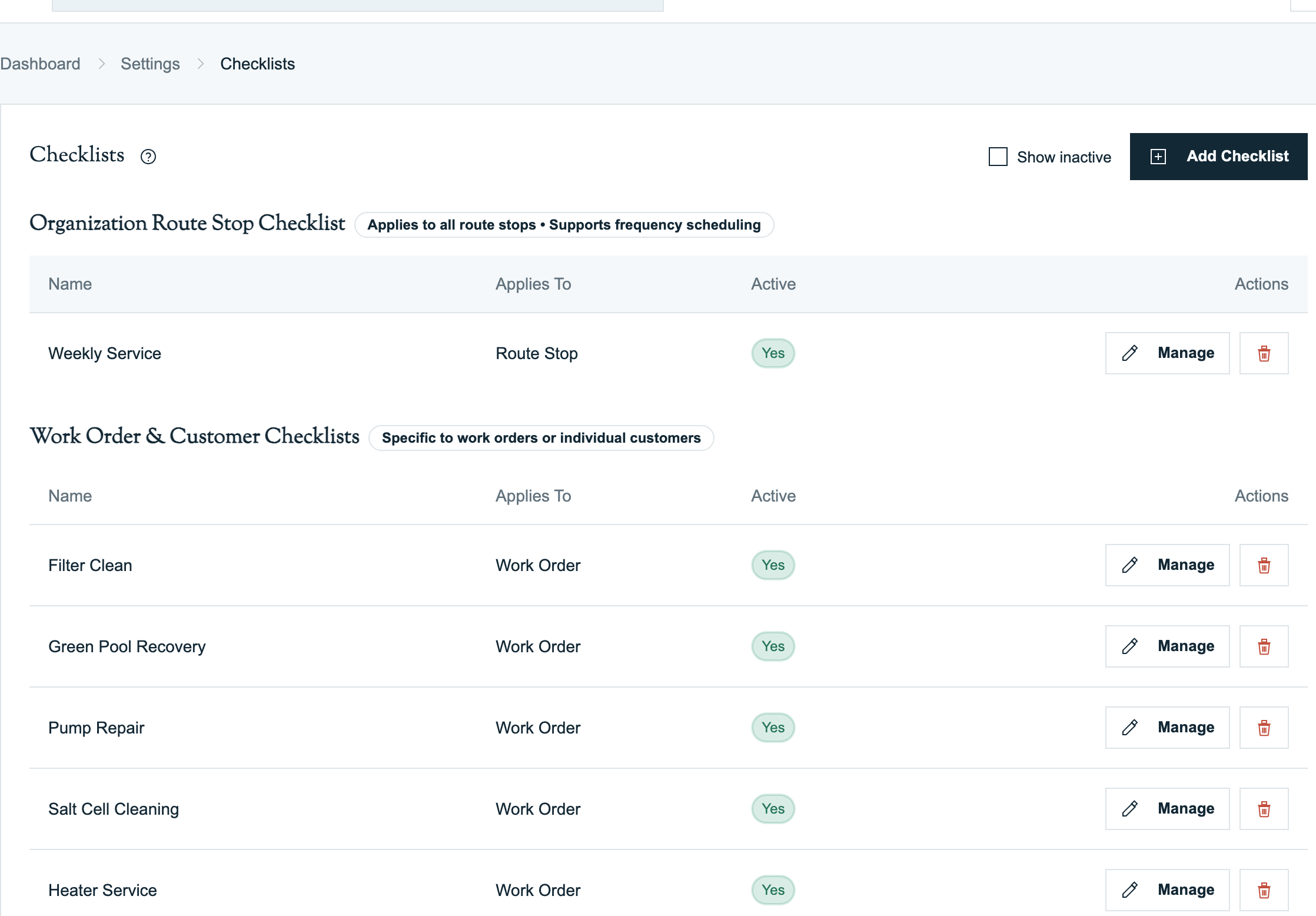
A checklist in Pool Runs is a reusable set of steps with required-item, photo, and frequency rules. A checklist can apply to every recurring route stop, to a work-order type, or to one customer's body of water.
Checklist Types
| Type | Use it for |
|---|---|
| Route Stop | The regular service routine used across recurring pool stops. An organization has one route-stop checklist. |
| Work Order | A reusable job checklist that can be assigned to work-order types. |
| Customer | A checklist dedicated to one body of water, such as a commercial pool or a spa with different service requirements. |
Manage Checklists on Mobile
Open More → Checklists. Everyone who can reach the screen can search, filter, and view checklist details. Users whose role can manage checklists can also:
- Create, rename, activate, deactivate, or delete a checklist.
- Choose Route Stop, Work Order, or Customer and select the body of water for a Customer checklist.
- Add, edit, reorder, and delete checklist items.
- Mark an item required, require a photo, and choose whether that photo is checklist-only, customer-facing, or internal.
- Set recurring frequency rules for route-stop items.
What This Section Covers
- Checklist basics — Where checklists live, who can edit them, and how techs see them on mobile.
- Route-stop, work-order, and customer checklists — Choose the correct scope for each procedure.
- Reusable procedures — Build common service and repair routines once, then attach them to the appropriate workflow.
- Photo-required steps — Forcing techs to capture a photo at specific checklist points.
- Reporting on checklist completion — Auditing which steps were completed across the route.